Overview
This page explains how TroupeIT is organized and the relationships between the core concepts: Companies, Events, Shows, and Acts.
The TroupeIT Hierarchy
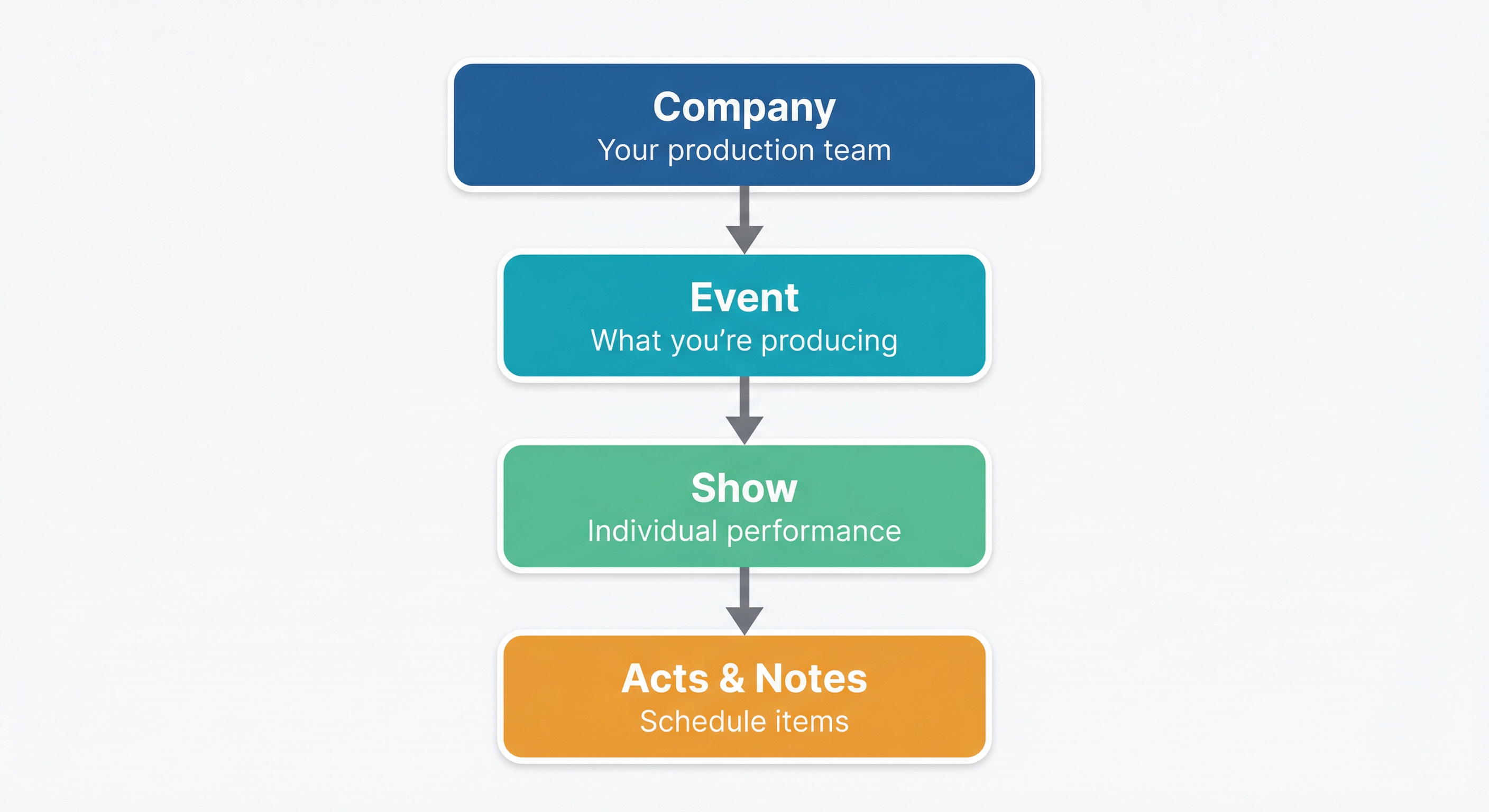
Everything in TroupeIT flows from this hierarchy. Understanding it will help you organize your productions effectively.
Finding your way around
After you sign in, most day-to-day work starts on the Dashboard (/dashboard). A few UI pieces show up everywhere:
- Top bar: Explore; shortcuts to Create Act and Create Event (when you have a company); connection status; and your avatar menu (edit profile, Your Files, billing history if you have subscription billing on file, theme toggle, log out). On small screens you also get Your Files and the create buttons in the collapsible menu.
- Footer: Links to Support, this manual (docs site), policies, blog, and other public pages.
- Dashboard: Profile and Companies on the left (on large screens), Upcoming / Prior events and Your Acts on the right; Activity on the left on desktop or below acts on mobile. Use Take a Tour for a quick guided walkthrough when you have companies.
- Chat: On the dashboard, open the chat control (speech-bubble icon) to see channels for your troupes, events, and shows, and to start direct messages.
- Per company (in the Companies list, for stage managers and above): quick Files, Acts, Invite (producers), and settings for that company.
Some menus (for example BHOF or Admin) only appear for specific roles or internal users.
Companies
A Company is your production team—the people who work together to put on shows. Think of it as your organization or collective.
Examples:
- A burlesque troupe
- A theater production company
- A festival organizing committee
- A corporate events team
Key points:
- A company can have many members with different roles (Producer, Stage Manager, Tech, Performer)
- A company can produce multiple events
- Performers must be members of your company to submit acts to your events
- Companies have subscription plans that determine available features
Events
An Event is what you're producing. It's the container for one or more shows and defines who can submit acts.
Examples:
- "Summer Spectacular 2025" (a single-night variety show)
- "Fringe Festival" (a multi-day festival)
- "Annual Awards Gala"
Key points:
- Events belong to a single company
- Events can accept act submissions from company members
- Events can have submission deadlines and requirements
- A single event can contain multiple shows (different nights, different stages)
Shows
A Show is an individual performance—a specific program happening at a specific time and place.
Examples:
- "Friday Night Main Stage" (one show within a festival event)
- "Saturday Matinee" (another show within the same event)
- "Workshop Room A - 2pm" (a smaller show running concurrently)
Key points:
- Shows belong to a single event
- Each show has its own schedule of acts and notes
- Shows can have different stage managers and technical requirements
- You'll create one show per stage per time slot
When to create multiple shows:
- Multi-day events: one show per day
- Multiple stages: one show per stage
- Different time slots: one show per slot (e.g., matinee and evening performances)
Acts
An Act is a performance piece—what a performer brings to the stage.
Examples:
- A 5-minute dance routine
- A 20-minute comedy set
- A 3-minute aerial silks performance
- A band's 45-minute set
Key points:
- Acts are created by performers and belong to them
- Acts contain all technical information: music, duration, lighting notes, prop requirements, MC intro
- A single act can be submitted to multiple events
- Once approved, acts are added to a show's schedule
Show Items
When an act is added to a show's schedule, it becomes a Show Item. But not all show items are acts—you can also add notes like:
- Intermissions
- DJ sets
- Section headers ("Comedy Block")
- Technical notes ("House lights to 50%")
- MC announcements
This lets you build a complete cue sheet that includes everything happening during the show, not just performer acts.
Putting It Together
Here's how a typical workflow looks:
- Create a Company with your production team members
- Create an Event for your upcoming production
- Performers submit Acts to your event
- Review submissions and approve the ones you want
- Create Shows for each performance (one per stage per day)
- Add acts and notes to build each show's schedule
- Run the show using TroupeIT's live view to track your progress
Practical Example
Scenario: You're producing a two-night variety festival with two stages.
Company: "Starlight Productions" (your team)
Event: "Starlight Festival 2025"
Shows:
- Friday - Main Stage
- Friday - Cabaret Room
- Saturday - Main Stage
- Saturday - Cabaret Room
Each show has its own schedule, allowing different stage managers to run their rooms independently while sharing the same pool of approved acts.